
Answer Facebook Messenger and Instagram messages in Freesbe
Customers can message your Facebook Page on Messenger, or your Instagram account, and get answers from your team in Freesbe, one thread per customer in a channel you pick. It comes with the Business plan and up. You need to be a Freesbe owner or admin, and an admin of the Facebook Page.
Before you start
Section titled “Before you start”- Your business needs a Facebook Page. Messenger comes with it.
- For Instagram, your Instagram account has to be a professional account (business or creator) linked to the Page. In the Instagram app, open your profile, then Settings → Account type and tools; on Facebook, open the Page’s Settings → Linked accounts.
Connect
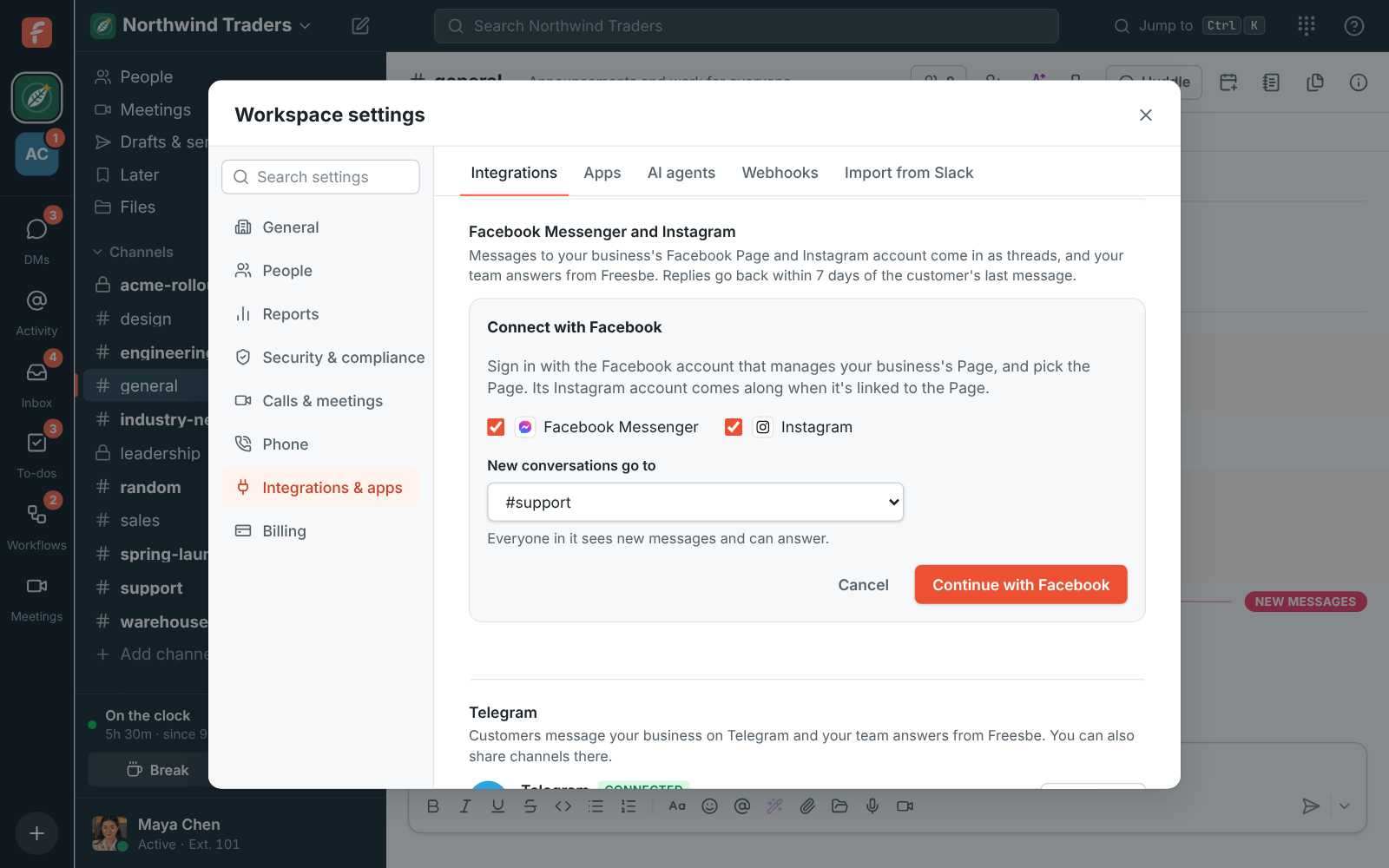
Section titled “Connect”- Open Workspace settings → Integrations → Customer inbox and, under Facebook Messenger and Instagram, click Connect with Facebook.
- Tick Facebook Messenger, Instagram or both, and pick the channel new conversations go to, like #support.
- Click Continue with Facebook and sign in with the Facebook account that manages the Page.
- Pick the Page (and its Instagram account), and leave every permission on. Freesbe needs them all to read and answer messages.
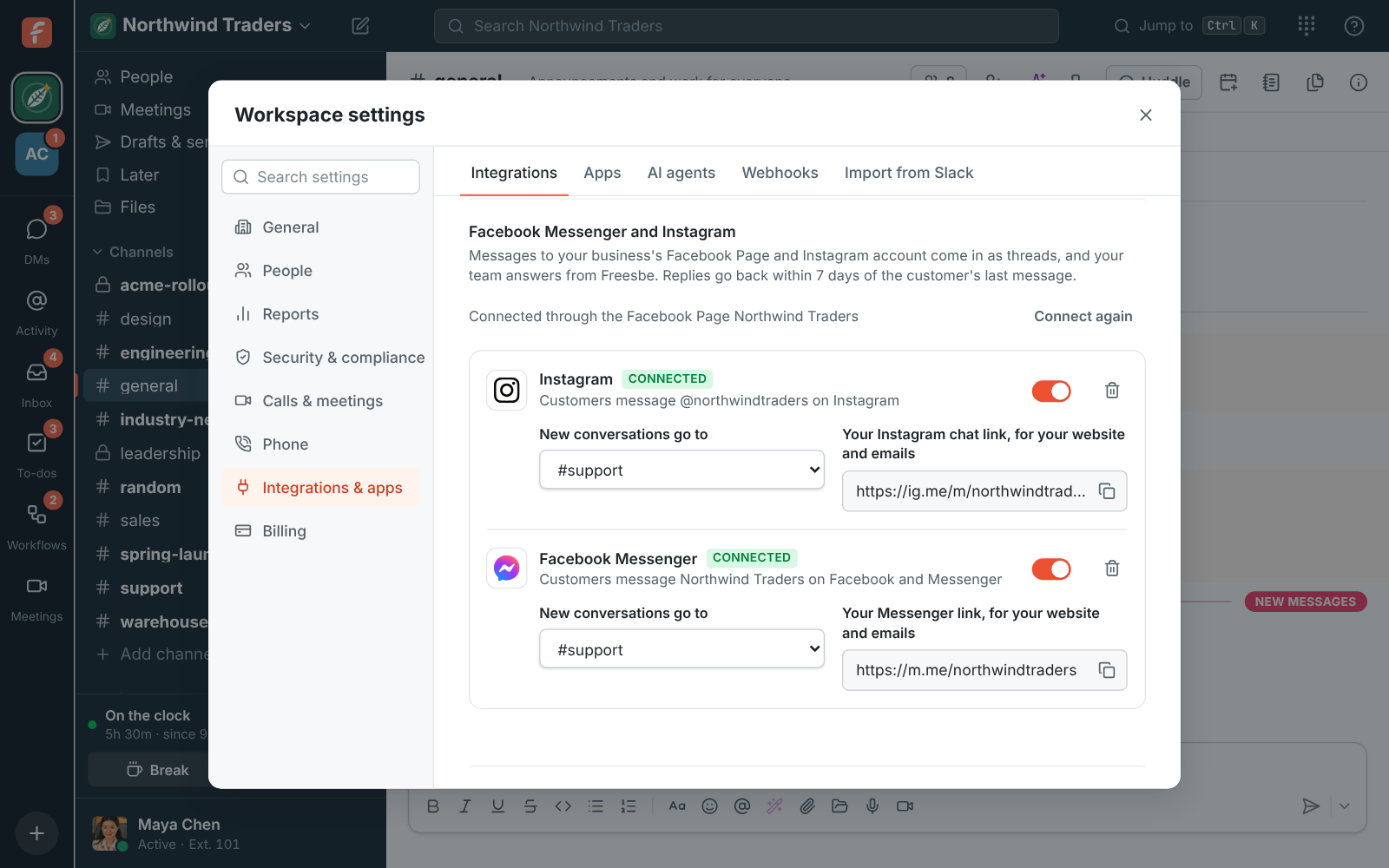
- You’re back in Freesbe, connected. If your account manages more than one Page, pick the one customers message, then click Connect.
Try it
Section titled “Try it”- From your own Facebook or Instagram account, send the Page a message. It lands in the channel, in its own thread.
- Reply in the thread. The reply arrives in Messenger or Instagram.
Put the m.me/… and ig.me/m/… links on your website and in your emails so customers can find you.
Good to know
Section titled “Good to know”- You have 24 hours after the customer’s last message to answer, and a person can still answer for up to 7 days. After that the customer has to write again first.
- Customers have to write first: Meta doesn’t let businesses message people who haven’t.
- “This Page has no Instagram professional account linked”: link it as above, then connect again.
- “Already connected to another Freesbe workspace”: a Page feeds one workspace. Disconnect it in the other workspace first.
- Needs reconnecting: Facebook stopped letting Freesbe answer, usually after a password change or when Freesbe was removed in Facebook’s Business integrations settings. Click Connect again.
- To stop, click the bin next to Messenger or Instagram. Conversations stay in the channel as threads.
Answers come from the Freesbe guides and are written by AI, so check the linked guide before relying on one. Please don't include personal details such as emails or passwords.