
My invite link doesn't work
You open an invite to a workspace or a channel and see This invite is no longer valid.
Why it happens
Section titled “Why it happens”An invite stops working when it:
- Expired. Shared links last 1, 7, 14 or 30 days, as the admin chose, and guest links last 7 days. Emailed invites don’t expire.
- Was used up. Emailed invites work once. A shared link works for the number of people the admin chose.
- Was revoked by an admin, or replaced: sending a new invite to the same address stops the earlier one.
Fix it
Section titled “Fix it”Sign up or sign in with the address the invite was emailed to: the workspace shows under Join your team (or in a banner, if you already have a workspace), with a Join button, no link needed. Otherwise ask whoever invited you for a new invite. If you already joined with an earlier invite, you don’t need a new one: just sign in.
For admins
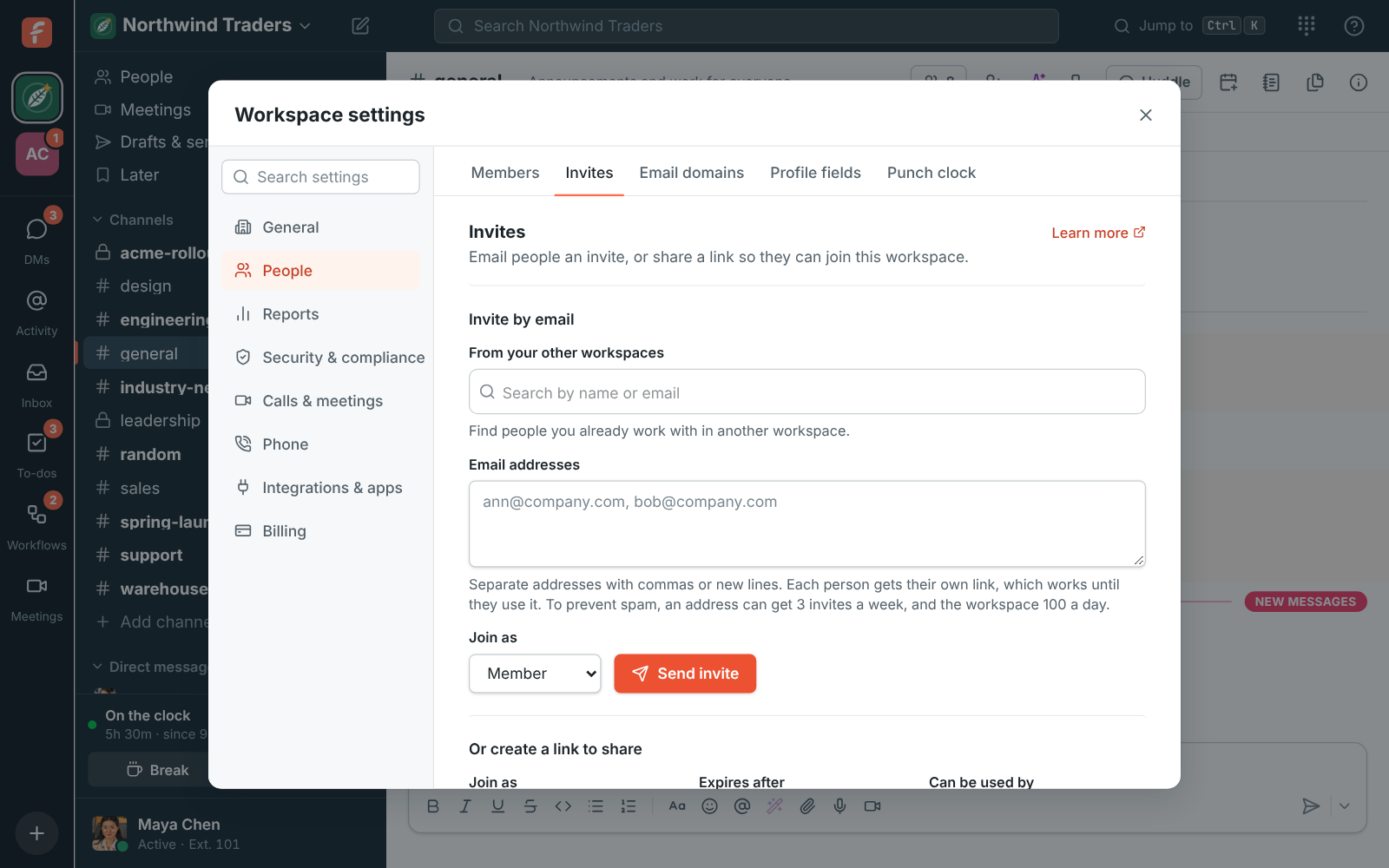
Section titled “For admins”Open Workspace settings → People → Invites. Active and past invites lists every invite with who created it and whether it’s Expired or Used up. Send a new invite by email, or create a link that lasts longer or can be used by more people. See Invite people.
If the person never got the invite email at all, see Emails from Freesbe don’t arrive.
Answers come from the Freesbe guides and are written by AI, so check the linked guide before relying on one. Please don't include personal details such as emails or passwords.